Moon Support Hub: an enterprise ticketing platform
Next.js 16 with Prisma on MongoDB, 740+ source files, 186 React components, 135+ API endpoints, 60 models, and 14 scheduled background jobs
Overview
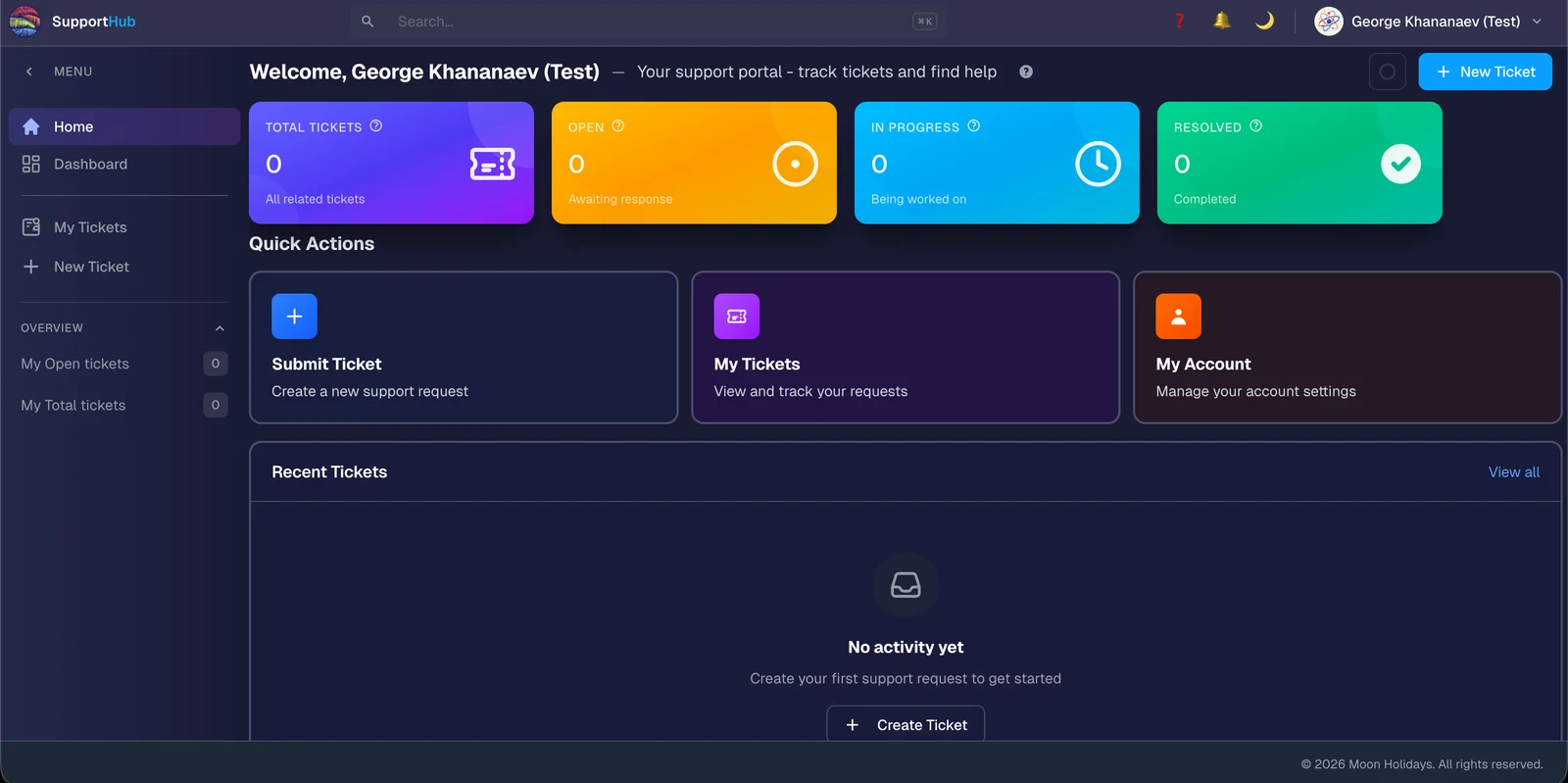
Moon Support Hub is a full-featured enterprise support system built alongside the Travel Panel core platform. Ticketing with lifecycle management, knowledge base with a draft-to-published workflow, SLA policies, agent workload balancing, eight role-based access levels, real-time notifications, eight pre-built reports, and a customer portal for self-service.
By the numbers:
| Metric | Count |
|---|---|
| Source files | 740+ |
| React components | 186 |
| API endpoints | 135+ |
| Database models | 60 |
| Seed files | 30 |
| Built-in roles | 8 |
| Report types | 8 |
| Background jobs | 14 |
My role on this project was engineering lead. I did not write the bulk of the code. I drove the architecture, reviewed every pull request, and kept the product on track.
Architecture
Clients (Browser, Mobile)
↓
Next.js Application [:3000]
├── Frontend: App Router Pages, React Components, 4 Themes (Light, Dark, Moon, Green)
└── Backend: REST API (135+ endpoints), SSE Streams (3 channels), Background Jobs (14 tasks)
↓
Authentication Layer
├── Firebase Auth (Google, GitHub, Microsoft, Apple OAuth)
├── Local Auth (JWT Sessions)
└── Office System API (external user/role sync)
↓
Data Layer
├── MongoDB 5.0 Replica Set (:27017)
├── Prisma ORM (60 models)
└── MinIO S3 (API :9000, Console :9001)
↓
Communication: Mailpit SMTP (:1025, UI :8025)
Prisma on MongoDB is the first surprising choice. Most teams reach for Mongoose when they commit to MongoDB. Prisma's MongoDB support lets us get type-safe queries, schema migration, and a single source of truth for all 60 models — trading flexibility for discipline in a codebase that has to be maintained by a team rather than a solo engineer.
What the system does
Ticket management
Full lifecycle: create, track, assign, resolve, close tickets with complete audit trail. Configurable workflow (Open → In Progress → Pending → Resolved → Closed). Multi-channel intake (Email, Phone, Web, Chat, API). Merge related tickets and split complex ones with selective comment copying. Timer-based time tracking with session entries. Dynamic SLA due dates based on business hours. Automated escalation. File attachments via MinIO with presigned URLs. Gantt timeline view via Frappe Gantt. Full-text search. Bulk operations.
Comments and collaboration
Threaded nested replies, @mentions with real-time notifications, rich-text markdown editor, per-comment file attachments, upvote/downvote tracking, system comments for status changes, and canned responses with keyboard shortcuts.
Knowledge base
Multiple KBs organized by product or domain with department access control. Complete version history with author tracking. Publishing workflow: Draft → In Review → Approved → Published → Archived. Visibility controls (Public, Internal, Role-based). Article ratings (1-5 stars) with admin responses. Related articles. KB attachments with thumbnail generation. Search analytics including zero-result detection and content-gap reports. Self-service deflection measurement. KB session tracking with time-on-page. SEO metadata per article. Automatic article expiration.
RBAC (Role-Based Access Control)
Eight built-in roles: Administrator, Department Manager, Category Manager, Type Manager, Support Agent, Customer, Viewer, Employee. Three layers of enforcement:
- Page Permissions — which roles can access which pages
- UI Element Permissions — four levels (none / view / interact / full)
- API Permissions — endpoint protection by permission code
Plus Office Role Mapping for auto-assigning roles from external HR systems.
14 scheduled background jobs
| Job | Schedule | Purpose |
|---|---|---|
| master-scheduler | 1 min | Orchestrates all jobs |
| aggregate-daily-stats | Hourly | 30-day ticket statistics |
| aggregate-interval-stats | Hourly | 24-hour statistics |
| aggregate-performance-stats | Hourly | SLA compliance metrics |
| aggregate-team-stats | Hourly | Team workload snapshot |
| aggregate-analytics-stats | Hourly | Comprehensive analytics |
| check-escalations | 5 min | Apply escalation rules |
| auto-assign-tickets | 2 min | Distribute unassigned tickets |
| calculate-burning-rates | Hourly | Agent productivity metrics |
| aggregate-customer-trends | Hourly | Customer behavior patterns |
| aggregate-csat-stats | Hourly | Satisfaction metrics |
| aggregate-kb-analytics | Hourly | Knowledge base metrics |
| send-scheduled-reports | Configurable | Daily/weekly/monthly email delivery |
| cleanup-attachments | Daily | Remove orphaned files |
Jobs are database-driven with dynamic scheduling (interval, cron, daily, weekly, monthly), timezone-aware, with execution tracking, failure logging, and manual triggering. When a job fails, it lands in a failure log with the error for an operator to triage.
Real-time SSE streams
Three SSE channels, not one big firehose:
GET /api/notifications/stream— user notifications (mentions, assignments, updates)GET /api/tickets/stream— live ticket count updates for sidebar badgesGET /api/system-config/stream— system-wide config broadcasts so settings propagate without page reloads
Splitting streams by concern means clients subscribe only to what they care about, and a noisy config channel does not delay an urgent notification.
8 pre-built reports
Executive Dashboard, Agent Performance, Team Reports, Customer Trends, SLA Performance, Knowledge Base, Ticket Operations, CSAT. Each has pre-aggregated hourly statistics for fast dashboard loading and can be subscribed to for scheduled email delivery (daily / weekly / monthly / quarterly / yearly). HTML email reports include embedded Recharts-generated charts.
Content richness
Markdown support with Mermaid diagrams, KaTeX math notation, Monaco editor for code content, Mammoth for Word document import, and PDF to PNG conversion.
Customer portal
My Tickets view, multi-step ticket creation with KB article suggestions, knowledge search for self-service, and post-resolution CSAT surveys with emoji rating scale and optional text feedback.
My role as lead
Architecture. I chose the stack (Next.js 16, MongoDB 5.0 Replica Set, Prisma, Firebase Auth, MinIO, Mailpit, Docker orchestration), designed the data model across 60 Prisma schemas, set the boundaries between subsystems, and decided which parts to build custom versus reach for libraries.
Code review. Every pull request, every iteration. I maintained the coding standards and architectural coherence as the team added features. Most of my PR comments were about consistency: naming, data shapes, error handling, RBAC application, and tests. Any one of those is minor in isolation. Together they are the difference between a codebase you can evolve for years and one that becomes a liability in six months.
Roadmap planning. Prioritization, breaking features into shippable milestones, and keeping stakeholders aligned on what would land when.
Mentorship. Pairing with developers on the hard parts, especially around the permission layers, the background-job scheduler, the SSE stream design, and the publishing workflow state machine.
Lessons from leading instead of building
The most useful thing a lead can do is ensure the team does not paint itself into a corner. The second most useful thing is saying no. Engineers want to build every feature the customer asks for. A lead's job is to decide which ones actually move the product forward and which ones introduce complexity that will cost more than they pay back.
Tech stack (chosen and reviewed, not primarily authored)
Next.js 16, TypeScript, Prisma ORM, MongoDB 5.0 Replica Set, Firebase Authentication (Google, GitHub, Microsoft, Apple, Local), MinIO S3, Mailpit SMTP (dev) and production SMTP, SSE, Recharts, Docker Compose, Mermaid, KaTeX, Monaco editor, Mammoth (Word import), 4 themes (Light, Dark, Moon, Green).
For an open-source reference implementation of the FastAPI + Redis + JWT auth patterns we used on the backend side of similar projects, see Dark Theme Auth FastAPI Server.
License: MoonHolidaysThai Co., Ltd.