Excel AI Assistant: AI transforms for spreadsheets
A Python desktop app that adds LLM-powered transformations to Excel and CSV files

Inside the project
1 / 2 · Interface preview
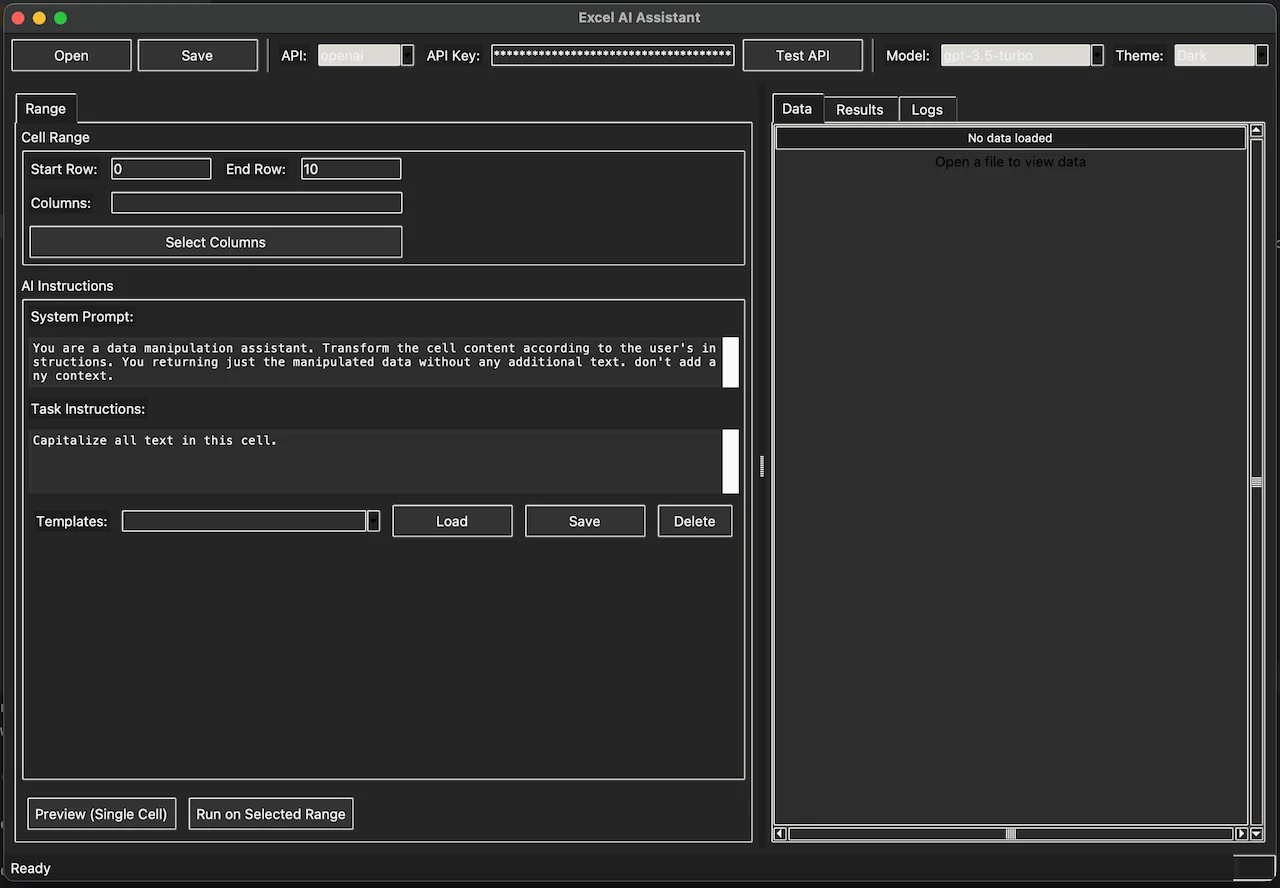
Excel AI Assistant with spreadsheet selection and an empty data preview
Open imageOverview
Excel AI Assistant is a desktop application that brings large language models into the spreadsheet workflow. Point it at an Excel or CSV file, pick a column, write a prompt template, and let the model process every row. The results are written back to a new column without touching the original.
Why I built it
Analysts I worked with had a recurring problem. They had thousands of rows of messy text — customer feedback, product descriptions, addresses, translated content — and they needed to clean, classify, summarize, or translate it. The existing options were all bad: copy-paste into ChatGPT one row at a time, write a one-off Python script, or pay for a SaaS that charged per row and refused to run locally.
Key features
- Dual AI backends. OpenAI API for maximum quality, or local Ollama for privacy-sensitive data that must not leave the machine. Switching between them is one click.
- Prompt templates. Reusable prompts with placeholder variables. Save a template once, reuse it across files.
- Batch processing. Rows processed in parallel with configurable concurrency. Progress bar with live ETA.
- Safe by default. Never overwrites the source file. Writes to a new column or a new file. Previews before committing.
- Format aware. Handles Excel sheets, CSVs, and TSVs. Preserves formatting, formulas, and cell types where possible.
Tech stack
Python, PyQt6 for the desktop UI, openpyxl and pandas for spreadsheet handling, OpenAI SDK and Ollama HTTP client for the AI backends, and a custom prompt template engine built on Jinja2.
The interesting engineering problem
Rate limiting. OpenAI has per-minute token limits, Ollama has per-model memory limits, and a batch of 10,000 rows needs to respect both without stalling. The solution was a token-bucket rate limiter that adapts per backend, with automatic backoff on 429s and a queue that survives app restarts so a crashed run can resume.
Takeaway
LLMs are cheap to call and expensive to orchestrate. The real work in a tool like this is not the AI prompt, it is the plumbing around it: rate limits, retries, error recovery, preview-before-commit, and a UI that makes a non-developer feel safe.